
TabWave
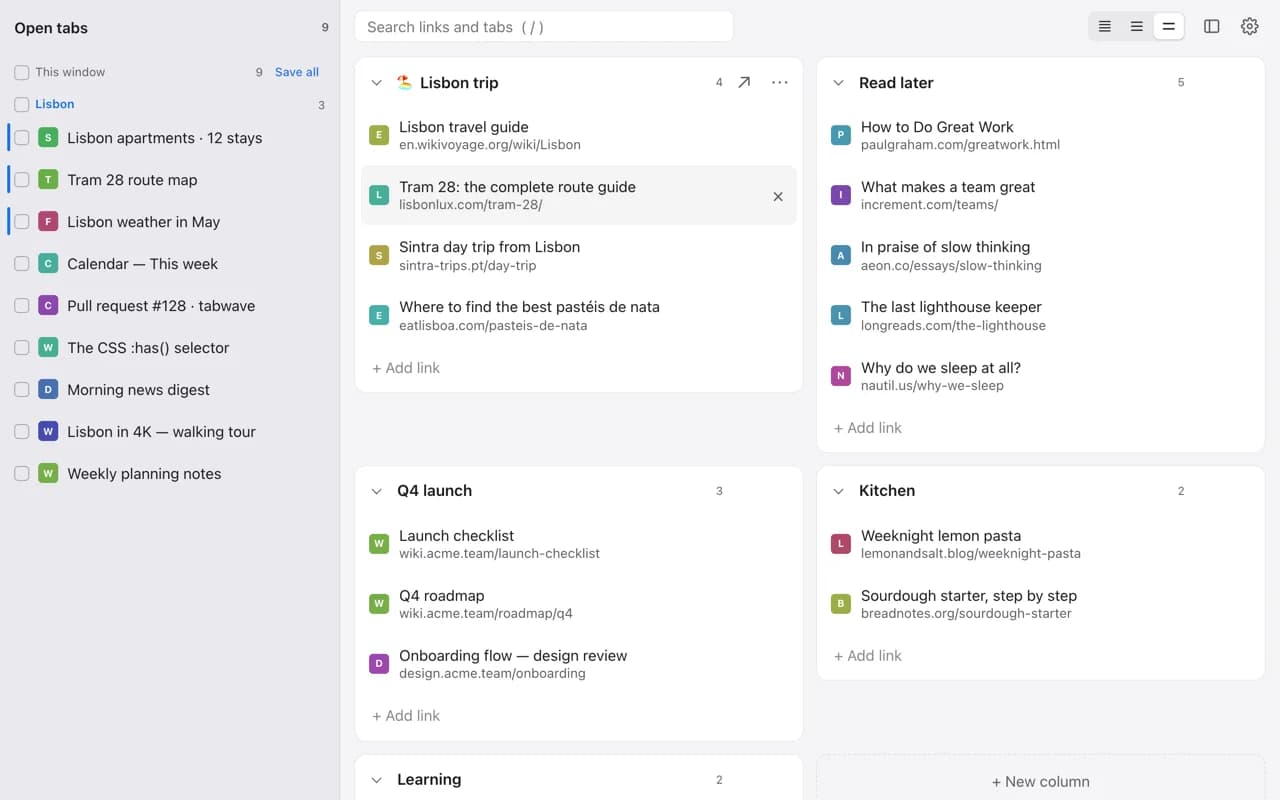
Save tabs into columns on your new tab page. Drag open tabs in, reopen them anytime. Free, no account, and everything stays on your device.
Sharing photos from an event?
Skip the file shuffle — let guests upload every photo into one shareable gallery via a QR code.
Save tabs by dragging
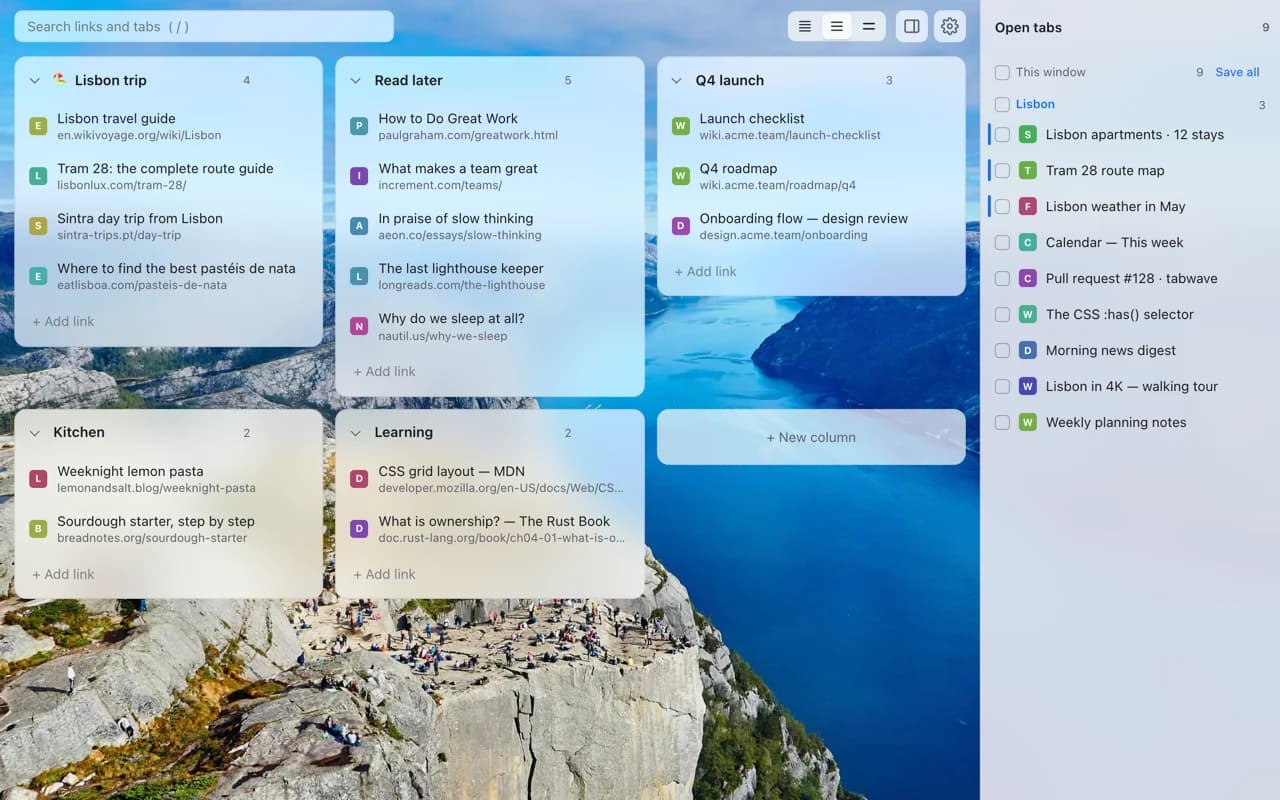
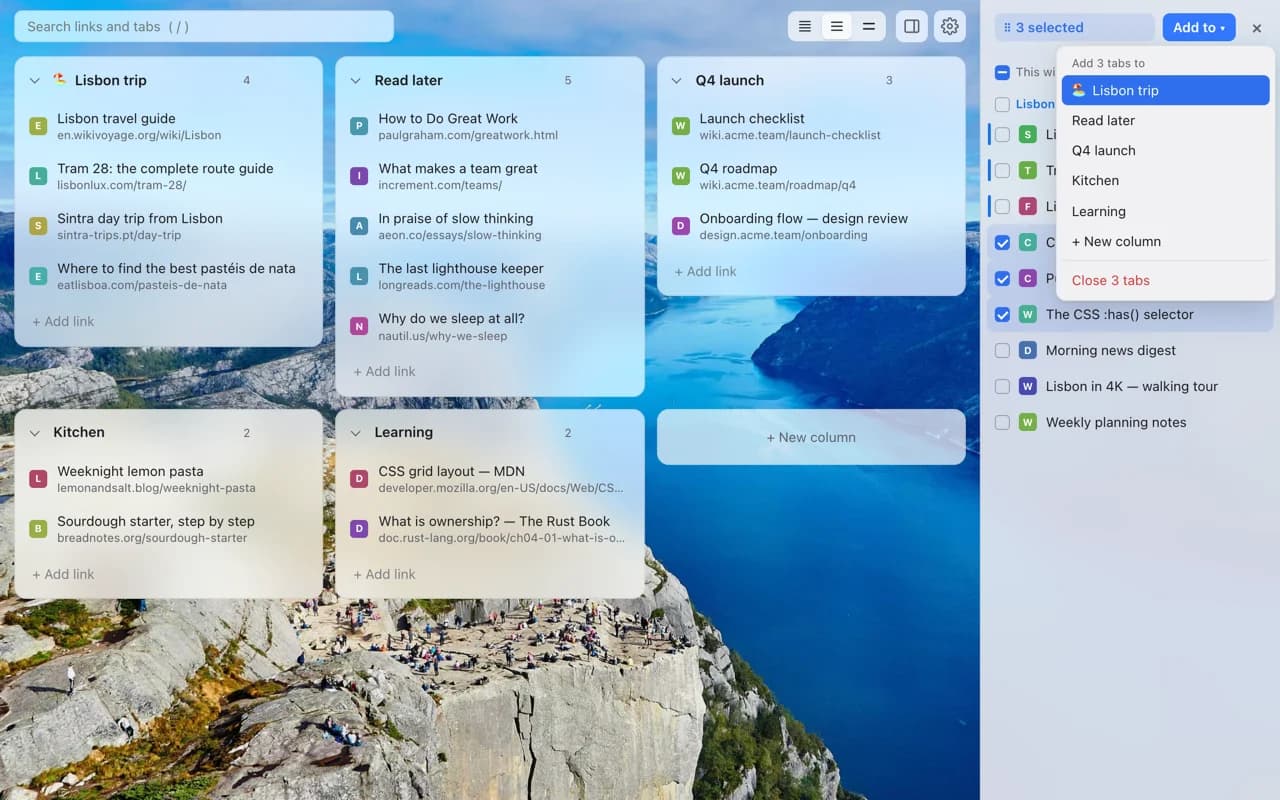
Drag one tab, a selection, a whole window or a tab group from the Open tabs panel into any column. Or right-click any page and save it there.
Reopen in one click
Click a saved link to open it, or switch to it if it's already open. Open a whole column as a named tab group or in a new window.
Find anything
Start typing anywhere to search saved links and open tabs together. Fold, rename and reorder columns, and undo any change.
Make it yours
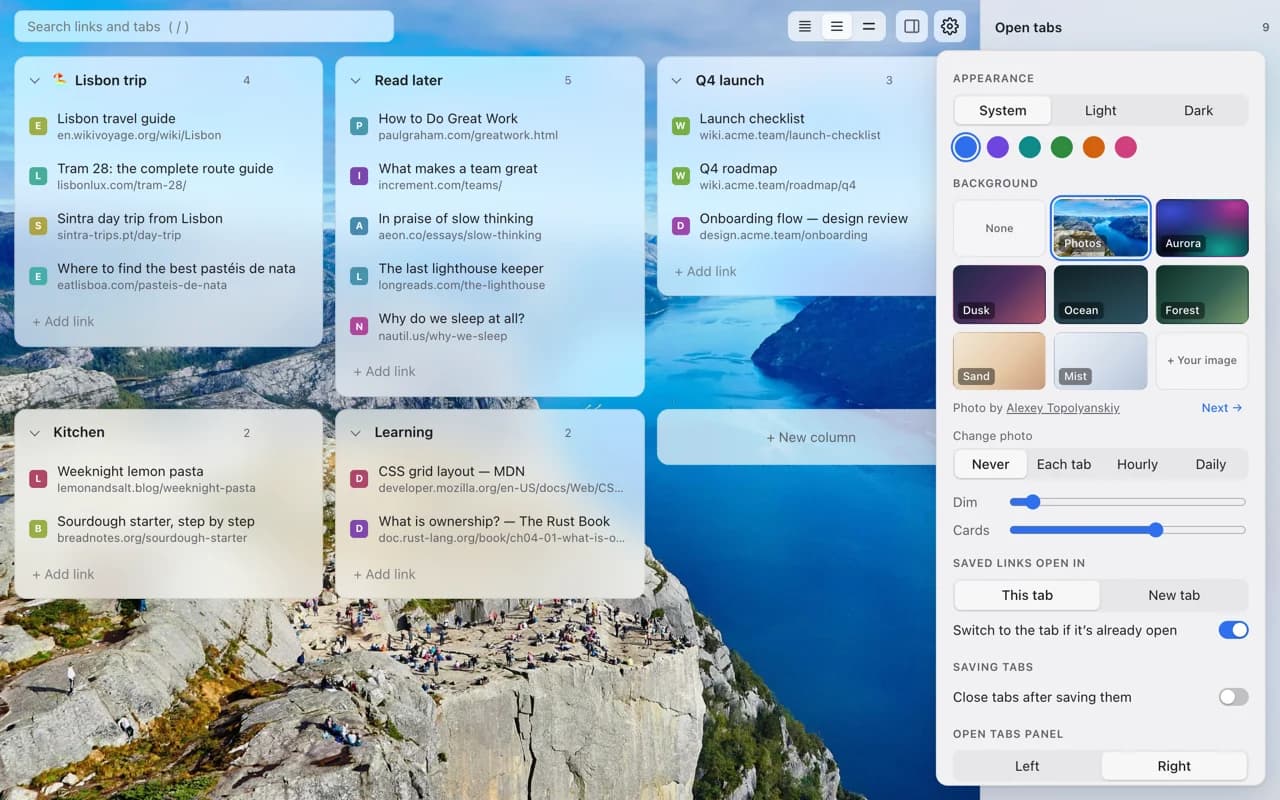
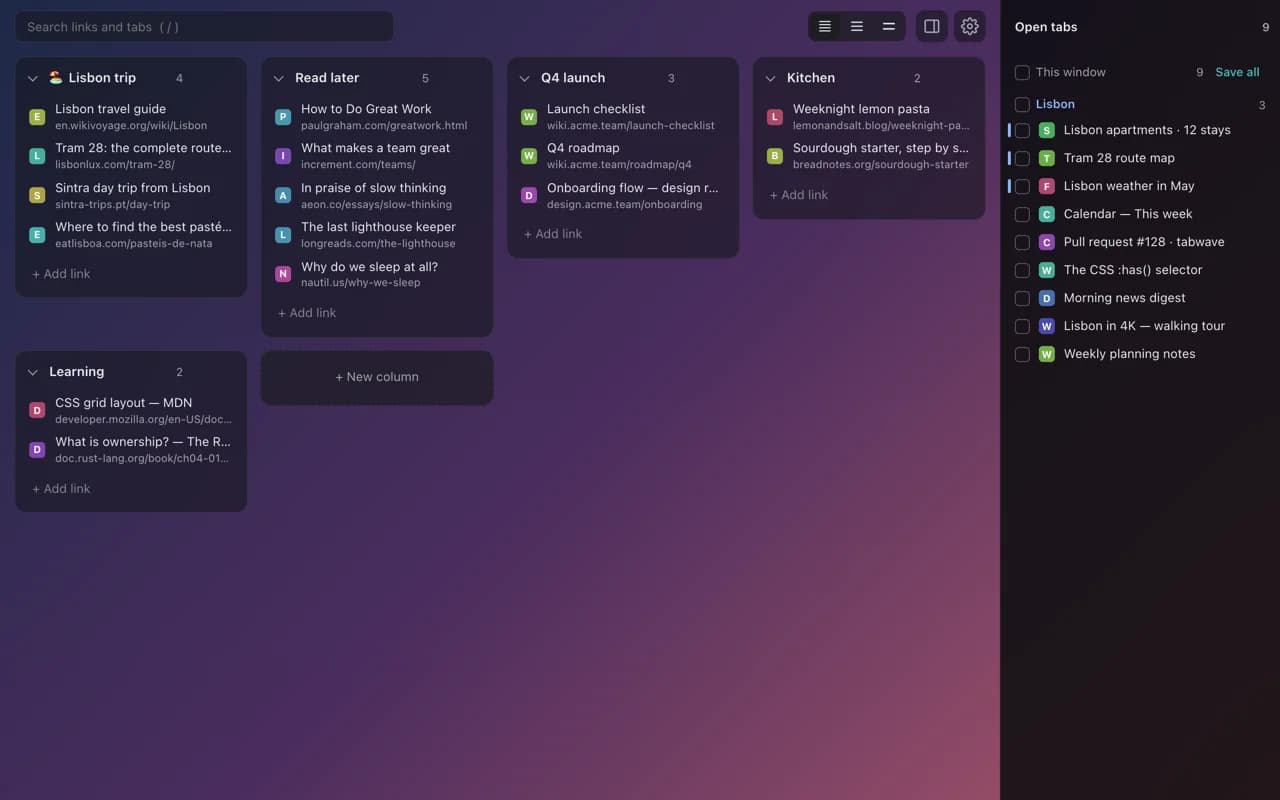
Landscape photos that change daily, soft gradients or your own image. Light or dark, six accent colors, and three sizes.
Private by design
No account, no ads, no tracking. Your board is stored only in your browser on your device.
Bring your tabs
Import from Tabextend, Toby, OneTab or any list of links, and export your whole board to a file whenever you like.
Help and feedback
Questions, bugs or ideas? Email contact@warpbin.com. Read how TabWave handles your data in the privacy policy.